 Guankeyun

A group has received several “we’re going live tonight” messages, yet people still ask where the link is when the broadcast starts. The problem is often not too few reminders. Every message repeats the time without explaining why the session is useful or which questions it will answer. First identify the information a livestream needs to communicate, then schedule messages so members can make an informed decision.
Start with a specific question the session can answer
Choose a question your audience cares about from the planned content. For a storage-product demonstration, an invitation might focus on “how to create working space on a small kitchen counter,” explaining what will be demonstrated and which households it suits. Do not squeeze every selling point into one poster or substitute “packed with insights” for a clear description.
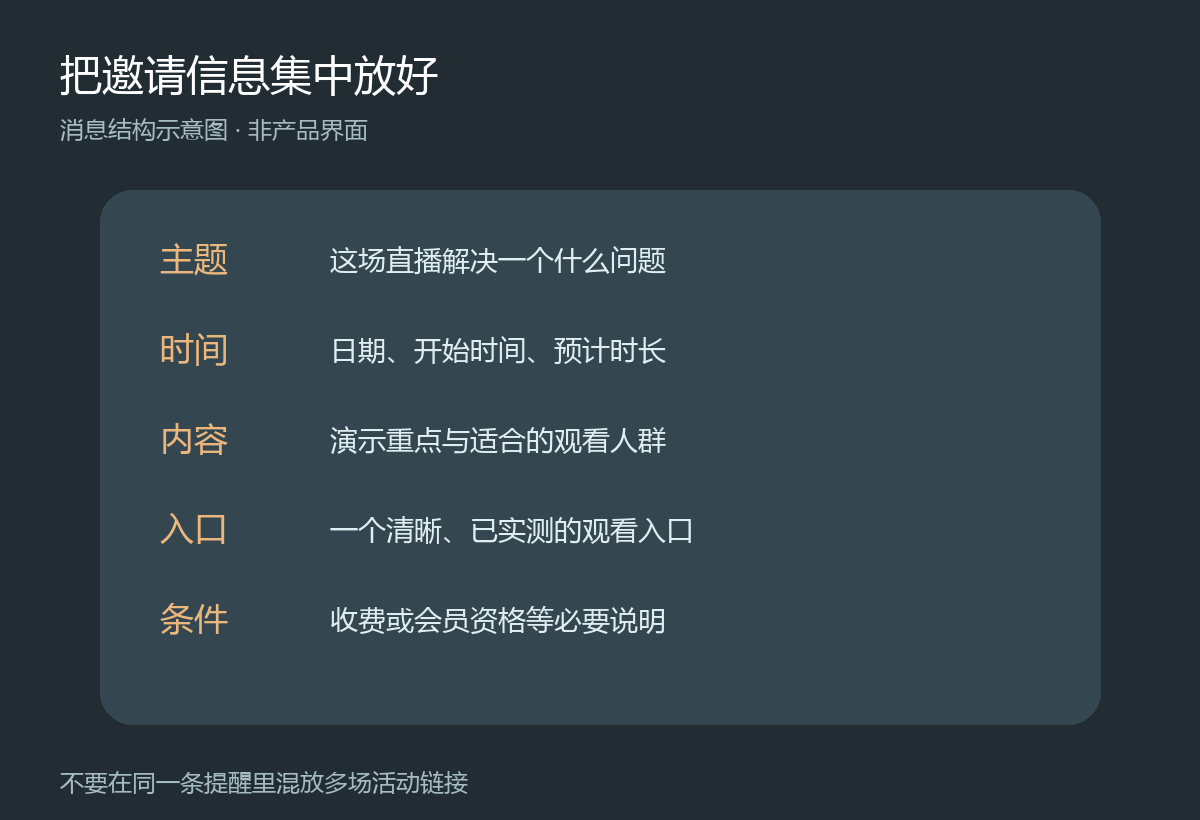
Before sending invitations, confirm the topic, date, start time, expected duration, viewing link and participation requirements. Explain purchases, fees or membership conditions in advance. Do not promise benefits that have not been prepared. Keep one confirmed information source within the team so staff do not share different times or links.
Give viewers something new in each reminder
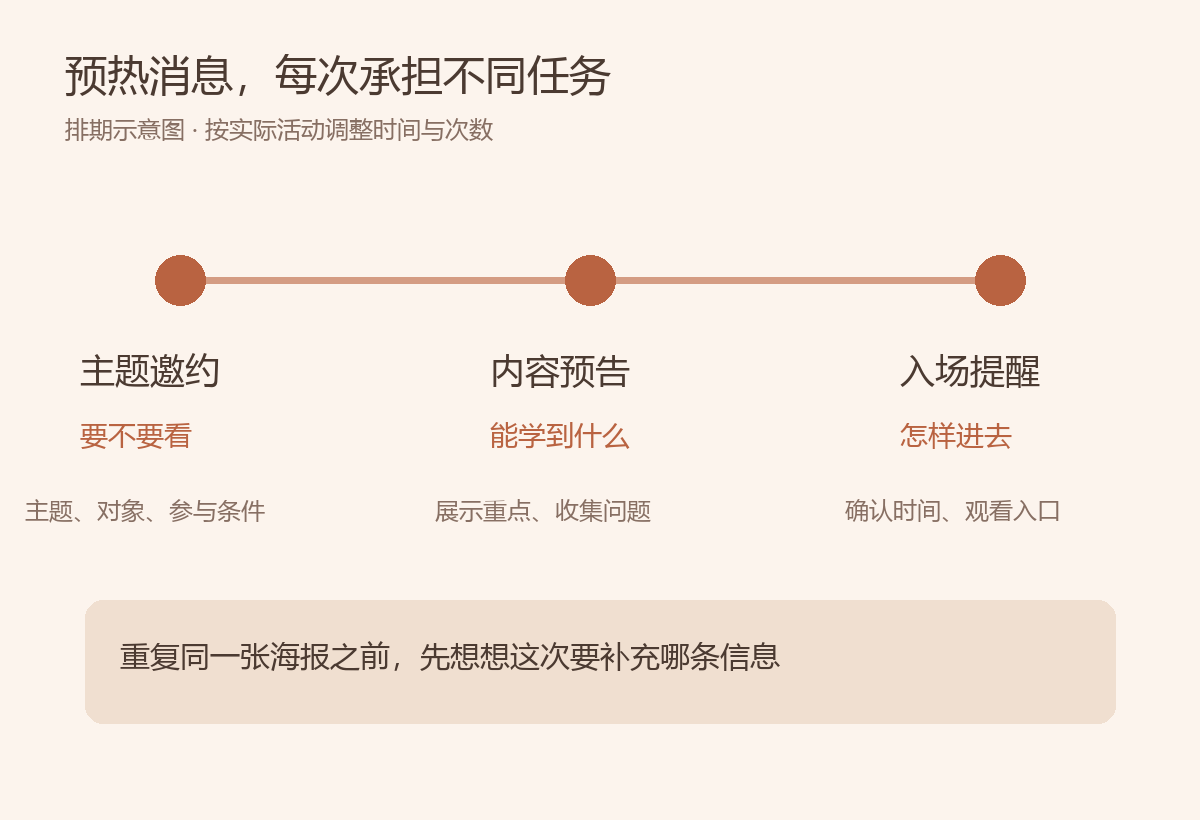
Start with an invitation that helps people decide whether the topic is relevant. Nearer the broadcast, share a content preview, such as one step you will demonstrate, and collect questions. Shortly before the start, send a brief entry reminder with the viewing link. This is a scheduling approach, not a fixed number of messages every group must copy. In a busy group, combine the preview and reminder; for a longer course campaign, follow the actual preparation timeline.
Three messages with distinct purposes are more useful than repeatedly copying the same poster. The invitation answers “Should I watch?”, the preview answers “What will I see?”, and the entry reminder answers “How do I join now?” When someone asks a question, answer it before adding relevant broadcast information. Do not turn every conversation into pressure to attend.
Make the entry link easy to find without overwhelming the group
A long group message can push the link off a phone screen. Keep the time, topic and entry link close together, and avoid including links to several different events in one reminder. Guankeyun describes sharing through mini-program links, livestream posters and WeChat cards. See the livestream sharing overview to choose a suitable entry point. Test it with an ordinary viewer account, rather than only checking whether an administrator can enter.
Check that the title is consistent, the link opens the correct broadcast, and the required authorization or viewing eligibility is clear. If the link changes, add a clear update where the original invitation appeared so viewers do not have to search through old messages. Do not repeatedly contact people who have said they are not interested. Reminders and follow-up service should respect their expressed preferences.
Review what needs to change after the broadcast
Do not judge preparation only by the group’s membership count. Record which content prompted specific questions, whether anyone struggled to find the link, and what misunderstandings remained at the start. Then examine actual viewing activity. Guankeyun’s community analytics overview includes viewer counts, viewing duration and invitation sources. Confirm the definitions and accessible data in your version; do not assume the system automatically attributes the effect of every group message.
If people join and leave quickly, check whether the opening delivered what the preview promised. If the same participation condition was repeatedly questioned before the start, include it in the next invitation. Change one clearly identified issue, keep a record and observe subsequent sessions. Changing the topic, time and wording together makes it harder to identify the cause.
Plan what happens after the reminders as well. People who missed the session need replay information, while those who asked questions need a response. See the post-livestream community follow-up checklist. Useful reminders ultimately help people find the content and receive the assistance described in the invitation.