 Guankeyun

Cover: an AI-generated illustration, not a photograph of an actual customer.
After enterprise training, replays may be used for catch-up learning, review and onboarding. The real questions are who can watch, where they can access the content, and how understanding will be checked afterward. Set replay permissions around the intended course audience rather than treating a video link sent to a group as completed delivery.
Define the audience and content scope first
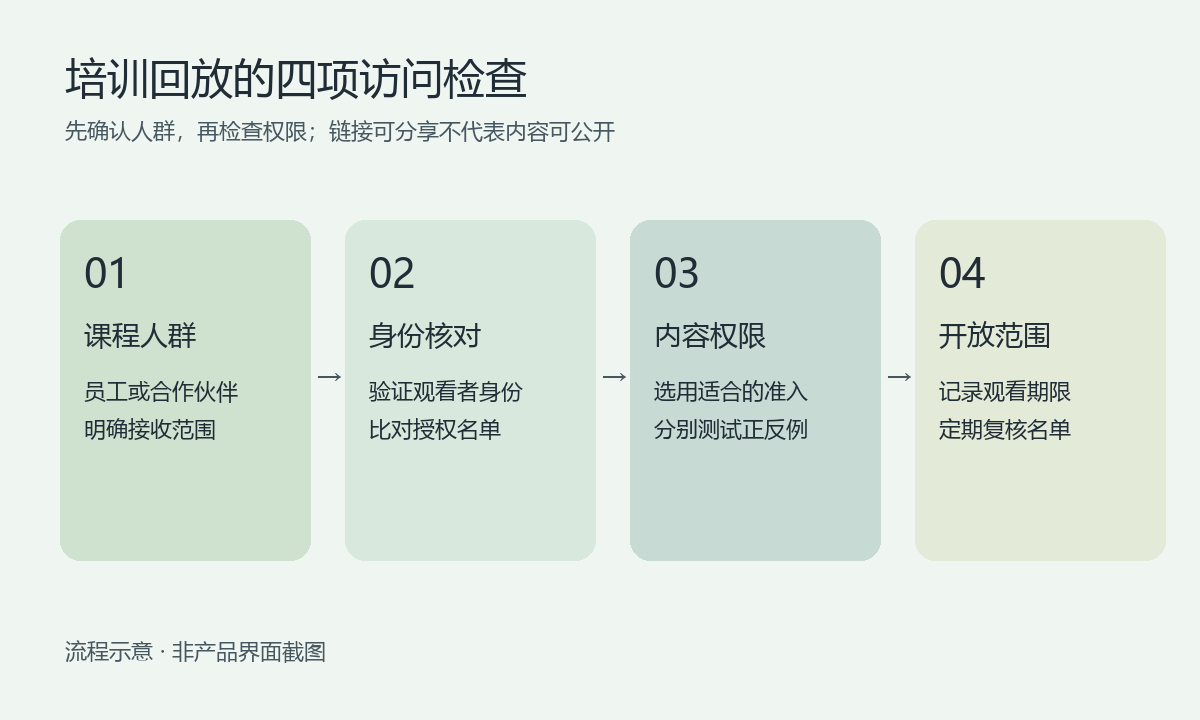
Before training, prepare a short checklist: is the course for all employees, a particular team, or dealers and partners? Does it contain internal pricing, customer information or unpublished product plans? Employee operational training and partner-facing product explanations should have separately confirmed viewing lists rather than sharing the same access scope.
Guankeyun’s product materials describe cloud recording, replays and several viewing permissions. Businesses can plan catch-up learning around these capabilities, but should confirm the actual plan, admin entry points, storage period and available settings in a demonstration. This article provides configuration and acceptance-testing guidance, rather than a manual with unverified button names.
Distinguish phone verification from authorized viewing
Phone verification primarily answers “who is the viewer?”, while authorization answers “is this person allowed to watch?” Identity verification alone does not necessarily restrict access to company employees. For internal courses, confirm the authorized audience and test with both an authorized and an unauthorized account.
Password protection can control a temporary entry point, but shared passwords may be forwarded and require maintenance when personnel change. Paid viewing suits courses with clear charging rules. Ordinary internal training does not need a payment step solely to restrict access. Consider the audience and administration effort before selecting an access method.
Run an end-to-end access test before releasing the replay
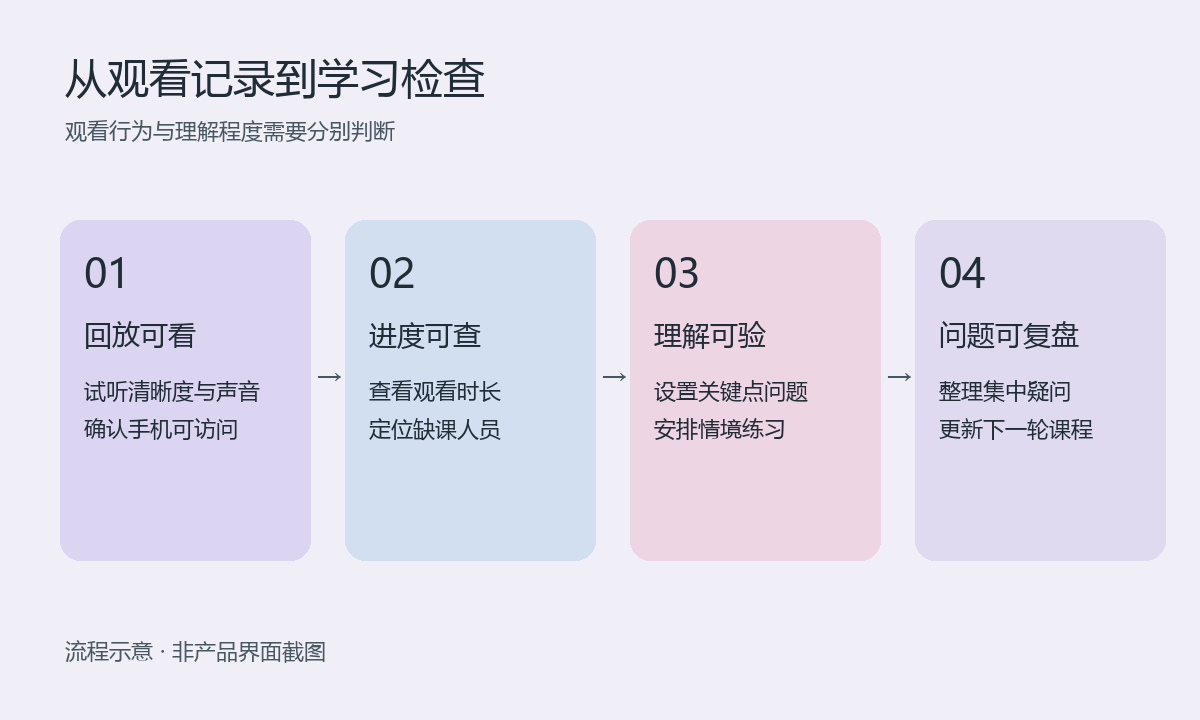
First check the recording’s sound, slide clarity and key demonstrations, particularly whether text is readable on a phone. Check the title, cover and course description, stating who should study it, how long it takes and whom to contact with questions. A successful recording does not automatically mean the replay is ready for delivery.
Arrange at least three tests: authorized people can open it; unauthorized people cannot directly watch restricted content even if they receive the link; and authorized viewers can complete viewing on their usual phones and networks. Review access lists for shared devices, departing employees and ended partnerships. Access controls can reduce casual redistribution, but cannot guarantee prevention of recording by external devices.
Combine viewing records with learning checks
Guankeyun’s materials describe viewing-duration and learning-data records, in-course questions, post-course tests and playback controls for recorded courses. Training owners can use viewing records to identify missed lessons and task-related questions to assess understanding. Test whether specific question formats and progress restrictions are available in the current version before deployment.
For product training, ask learners to distinguish two use cases rather than simply confirming they finished watching. A short knowledge update may not need strict fast-forward restrictions; a practical course may benefit from checks at key steps. Interpret playback duration, completion rate and quiz results separately. Leaving a player open for a long time does not prove mastery.
Verify these requirements when selecting training livestream software
Bring genuine slides without sensitive information to a demonstration and test recording quality, replay access and phone viewing. Use a test list to check access after authorization changes, then try sample questions to see whether the learning records meet your needs. Single sign-on, organization synchronization, question banks and learning-system integration should be confirmed as separate requirements, rather than assumed to be included in every training livestream system.
Review Guankeyun’s feature overview and the training solutions before scheduling a demonstration. Verify accessible playback, accurate permissions, clear content and meaningful learning checks so replays can support ongoing catch-up learning and review.